PiPiece Server
Raspberry Pi management server with REST API.
API Documentation
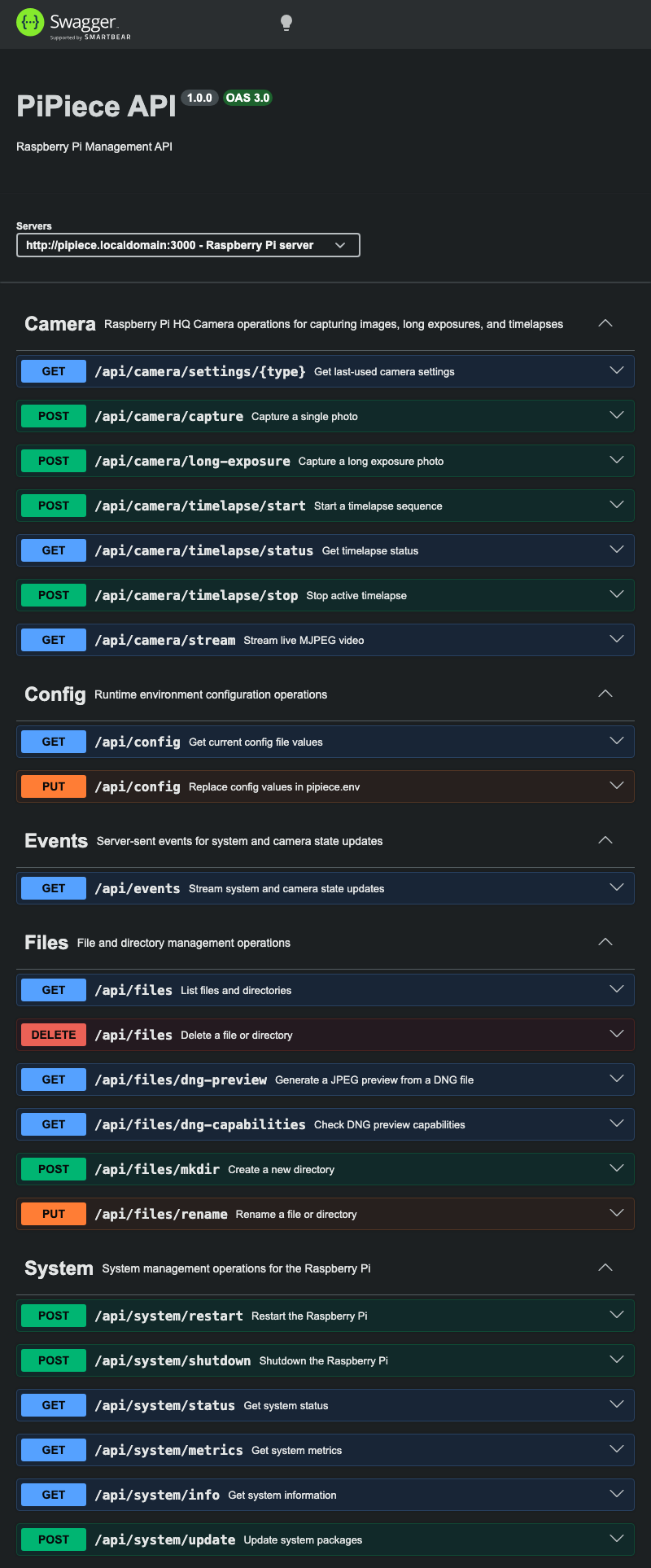
Interactive API documentation is available via Swagger UI:
Local: http://localhost:3000/api-docsRaspberry Pi: http://pipiece.local:3000/api-docs
Available Endpoints
System Management
GET /api/system/status- Get system uptime and statusGET /api/system/metrics- Get load averages and current CPU temperaturePOST /api/system/restart- Restart the Raspberry PiPOST /api/system/shutdown- Shutdown the Raspberry PiPOST /api/system/update- Update system packages (streams NDJSON output)
Camera
POST /api/camera/capture- Capture a single photoPOST /api/camera/long-exposure- Capture a long exposure photoPOST /api/camera/timelapse/start- Start a timelapse capture sequenceGET /api/camera/timelapse/status- Get current timelapse statusPOST /api/camera/timelapse/stop- Stop active timelapse captureGET /api/camera/stream- Stream live MJPEG videoGET /api/camera/settings/:type- Get last-used settings forpreviewortimelapse(falls back to defaults)
Camera Settings Examples
Request paths:
GET /api/camera/settings/previewGET /api/camera/settings/timelapse
Example response (preview, saved values):
{
	"success": true,
	"type": "preview",
	"source": "saved",
	"settings": {
		"filename": "m42-preview",
		"width": 4056,
		"height": 3040,
		"gain": 1.2,
		"exposure": 1500,
		"redGain": 1.52,
		"blueGain": 1.6
	}
}
Example response (timelapse, defaults):
{
	"success": true,
	"type": "timelapse",
	"source": "defaults",
	"settings": {
		"interval": 2000,
		"duration": 60000,
		"prefix": "timelapse",
		"width": 4056,
		"height": 3040,
		"gain": 1,
		"exposure": 5,
		"redGain": 1.49,
		"blueGain": 1.55
	}
}
File Management
GET /api/files- List files/directories (supportspath,sort,orderquery params)POST /api/files/mkdir- Create a directoryPUT /api/files/rename- Rename a file or directoryDELETE /api/files- Delete a file or directory
Events
GET /api/events- Server-sent events stream with system uptime, load averages, CPU temperature, and camera status
Config
GET /api/config- Read current values frompipiece.envand active config pathsPUT /api/config- Write key/value config topipiece.envand reload runtime environment
Other Server Routes
GET /api-docs- Swagger UI API documentationGET /photos/*- Static access to photo files under the photos directory
Setup
Install Dependencies
npm installConfigure Sudo Permissions
For system operations to work, configure sudo permissions for the user running Node.js:
sudo visudoAdd the following line (replace username with your user):
username ALL=(ALL) NOPASSWD: /sbin/reboot, /sbin/shutdown, /usr/bin/aptStart Server
npm startThe server will run on port 3000.
Environment Configuration
At startup, the server loads environment variables from:
$HOME/pipiece/system.env
Runtime defaults applied when not set:
PHOTOS_DIR=/home/pi/photosCONFIG_DIR=$HOME/pipiece/config
The config API reads/writes:
$CONFIG_DIR/pipiece.env$CONFIG_DIR/preview.json(last-used preview capture settings)$CONFIG_DIR/timelapse.json(last-used timelapse settings)
Updating config through PUT /api/config reloads values in the running process.
Development
The API uses Express.js and includes:
- swagger-ui-express - Interactive API documentation
- swagger-jsdoc - Generate OpenAPI specs from JSDoc comments
- morgan - HTTP request logger
- cookie-parser - Parse cookies
Testing
Use the included .http file with REST Client extension in VS Code, or access the Swagger UI for interactive testing.