Bird Watcher
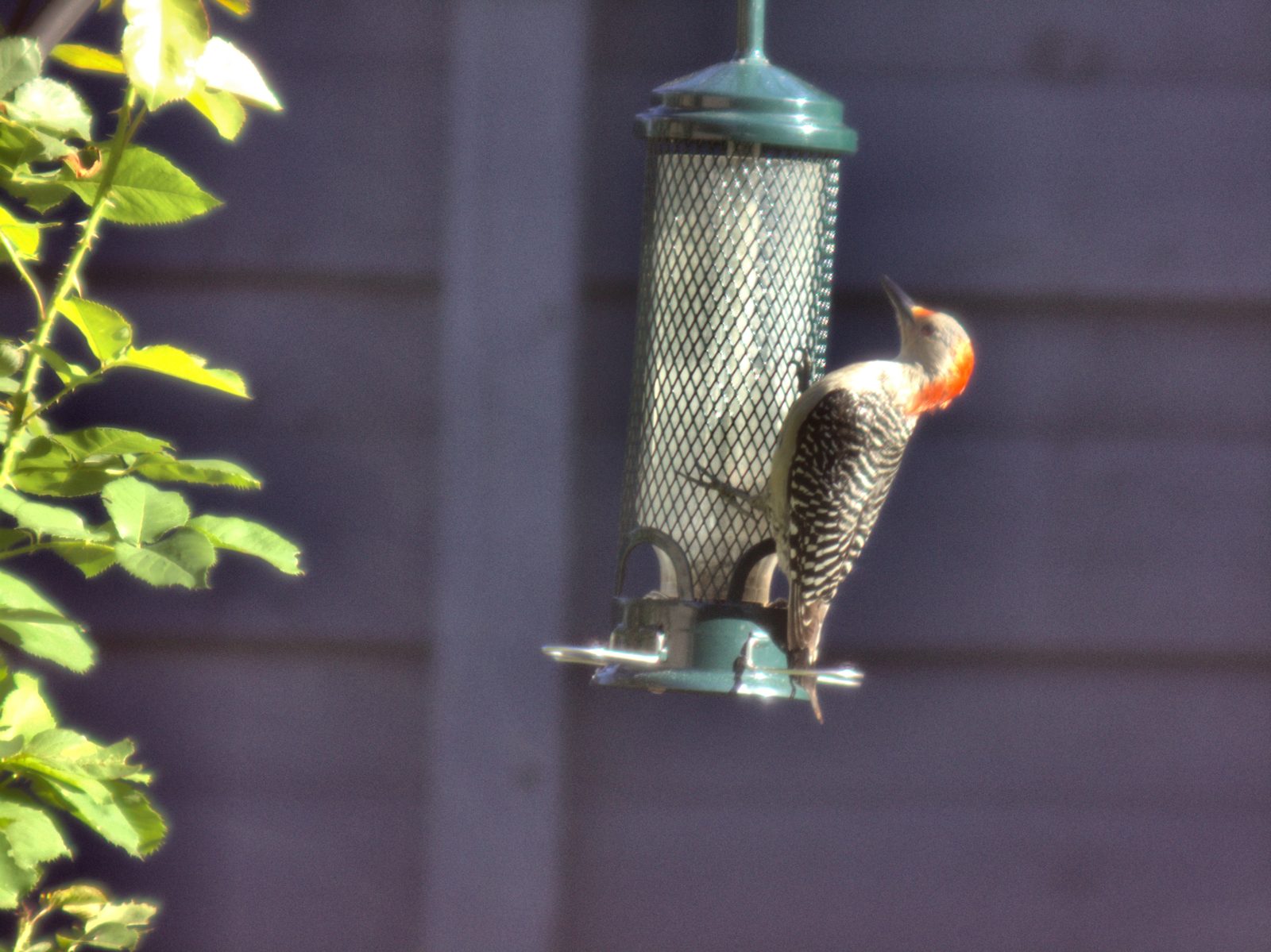
Turn your PiPiece into an automatic wildlife camera. The Bird Watcher uses on-device AI to detect birds and photograph them the moment they land at your feeder — no manual triggering required.
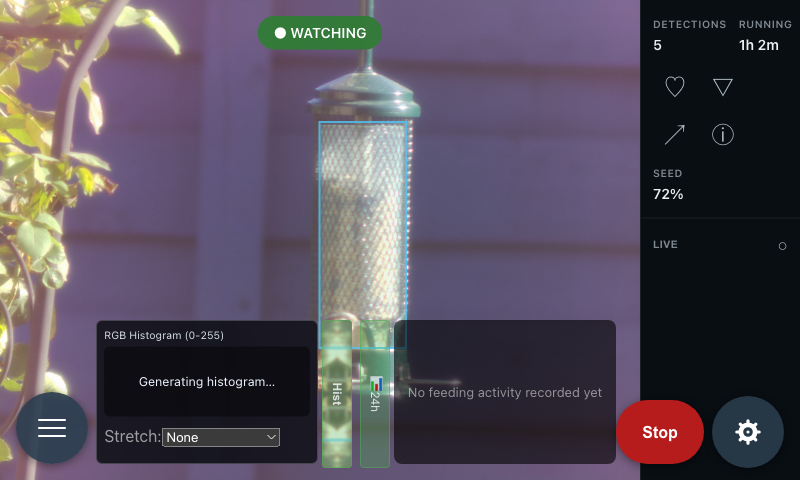
Real-World Captures
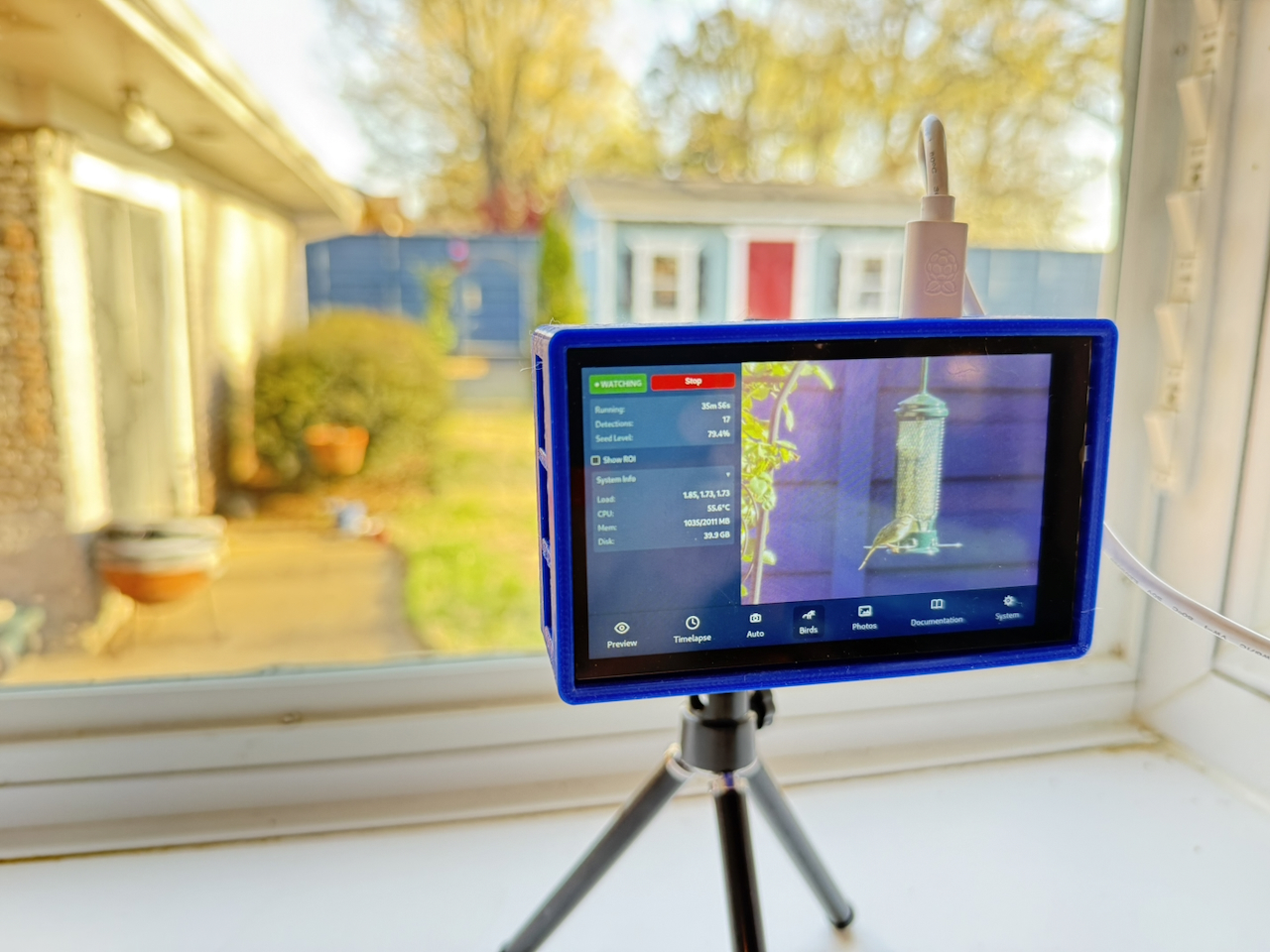
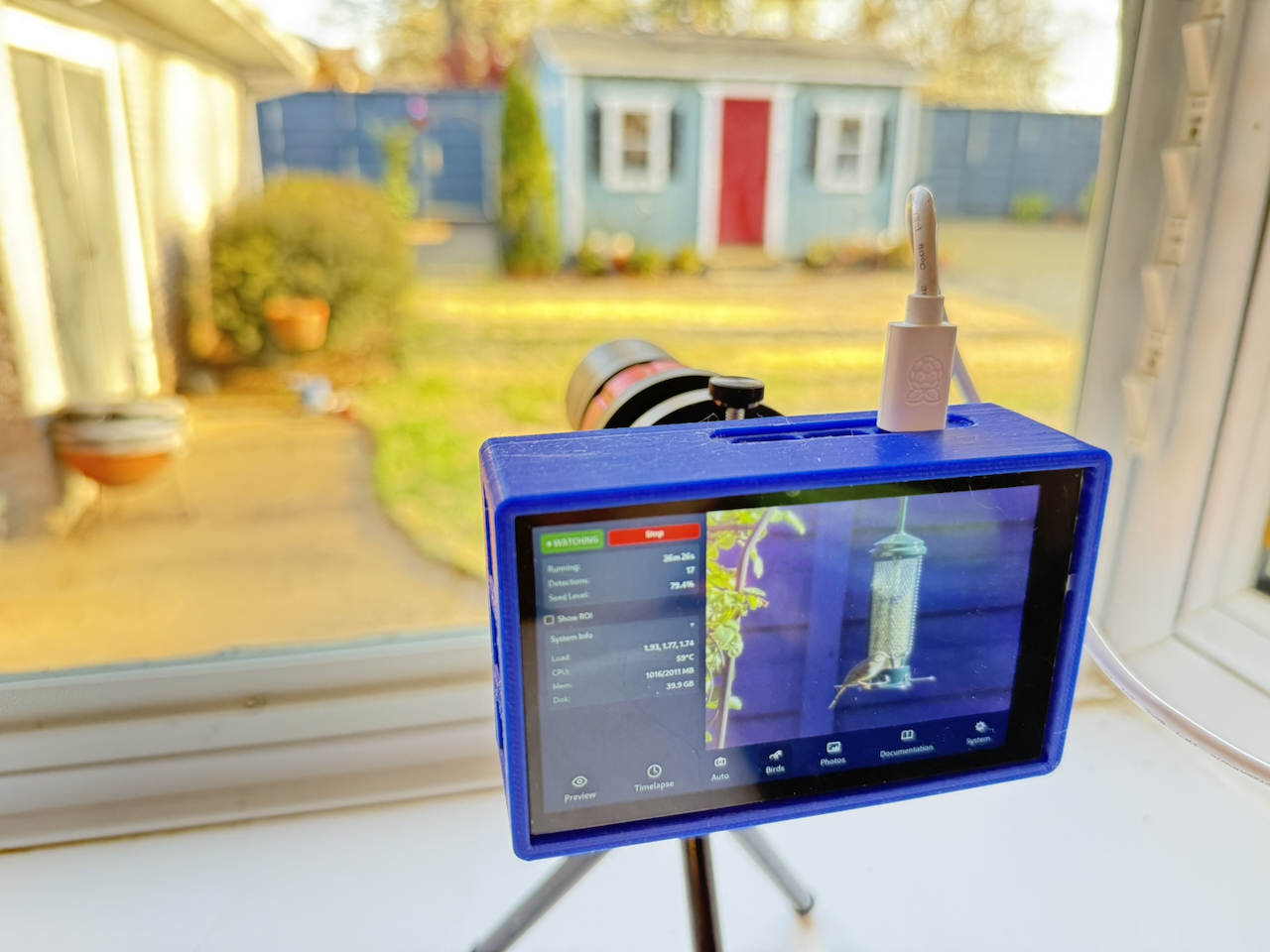
Getting Started
1. Install dependencies
The Bird Watcher requires a small one-time setup on the Pi. Run this in a terminal:
source ~/litert_venv/bin/activate
pip install opencv-python-headless numpy
The AI model (~4 MB) downloads automatically the first time you start the watcher.
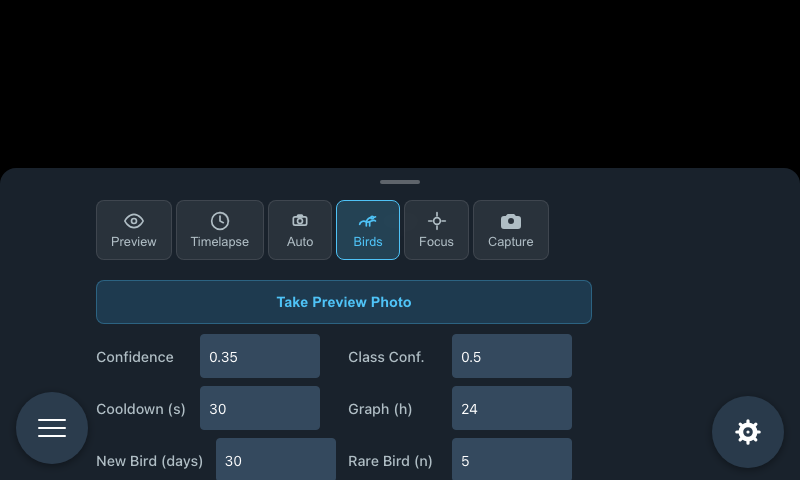
2. Take a preview photo
Click Take Preview Photo to capture a still image of your feeder setup. This image appears in the main area and is used for drawing the seed level region.
3. Mark the seed tube (optional)
If you have a transparent tube feeder, you can enable automatic seed level monitoring:
- Click Draw ROI in the sidebar
- Click and drag on the image to draw a rectangle over the visible seed column
- The saved region appears as a blue overlay — toggle it with Show ROI
- Click Clear ROI or Redraw ROI to adjust
4. Configure detection settings
| Setting | Default | What it does |
|---|---|---|
| Confidence | 0.35 | How certain the AI must be before triggering a capture. Lower values catch more birds but may produce false triggers on leaves or shadows. |
| Cooldown (s) | 30 | Minimum gap between captures. Prevents hundreds of frames of the same bird. |
| New Bird Window (days) | 30 | How many days must pass before a species is considered "new" again. Set to 0 to alert only on all-time first sightings. |
| Rare Bird Threshold | 5 | Species with fewer total sightings than this trigger a "rare bird" alert. |
5. Start watching
Click Start Bird Watcher. The sidebar switches to the active state and shows ● WATCHING.
While It's Running
The sidebar shows:
- ● WATCHING — green pulsing indicator alongside the Stop button
- Running — total elapsed time since starting
- Detections — count of birds photographed this session
- Species — the detected bird's common name, with the scientific name shown beneath it in smaller italic text
- Seed Level — estimated fill percentage for your tube feeder (requires a drawn ROI)
New: The Species row now leads with the bird's common name (e.g. "Northern Cardinal") instead of only the scientific name, with the scientific name kept as secondary text underneath.
The main area updates in real time — each new capture replaces the previous image automatically.
Bird Rarity Alerts
When a bird is detected, PiPiece checks whether it's a new or rare visitor. A full-screen outline flashes to get your attention without interrupting anything.
New bird — gold outline
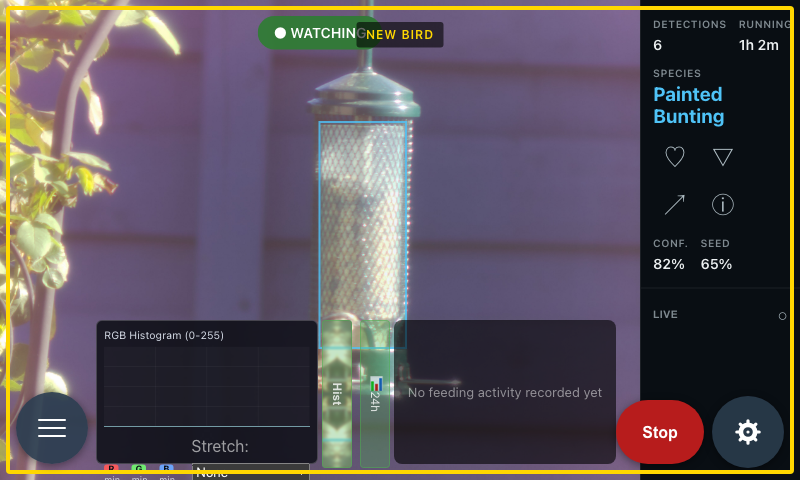
A gold outline with NEW BIRD badge appears when a species hasn't visited within your configured window (default: 30 days).
Rare bird — silver outline
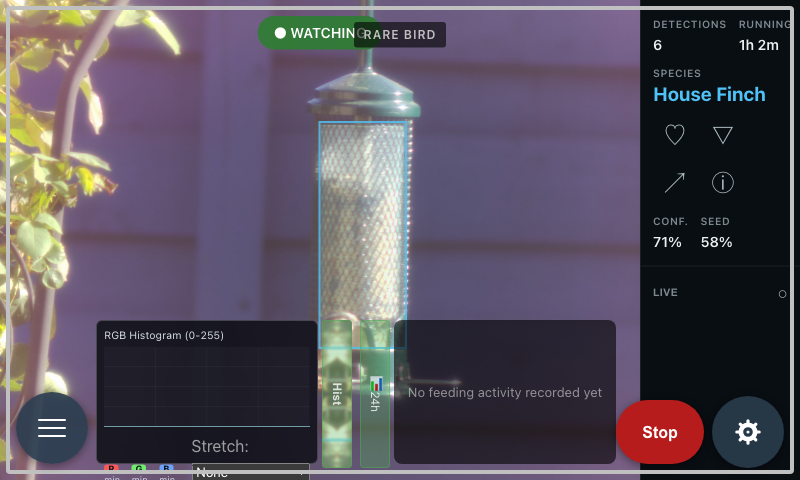
A silver outline with RARE BIRD badge appears when a species has fewer total sightings than your threshold (default: 5).
The alert flashes 3 times then pulses slowly. It clears automatically after 30 seconds, or resets if a new detection arrives.
Seed Level Monitoring
When a ROI is drawn, the seed estimator scans it from bottom to top looking for seed-colored pixels. The level updates with each capture.
| Level | Color | Meaning |
|---|---|---|
| 20%+ | White | Seed level OK |
| 5–20% | Yellow | Getting low |
| < 5% | Red | Nearly empty |
Your Captures
Bird detection photos are saved to ~/photos/bird_captures/ on the Pi — both a JPEG and a RAW DNG file for each detection:
bird_20260322_170445.jpg
bird_20260322_170445.dng
Sighting history is stored in ~/.config/pipiece-ui/:
bird-species-summary.json— per-species totals with first and last seen datesbird-captures.db— individual detection log, in asightingstable (SQLite)
Troubleshooting
No detections despite birds present: Try lowering confidence to 0.25. Check the PM2 logs:
pm2 logs expressjs | grep bird-watcherSeed level looks wrong: Redraw the ROI tightly around just the seed column, not the feeder tube walls. Lighting changes affect accuracy.