System Updates
Keep your Pi's operating system and PiPiece software up to date.
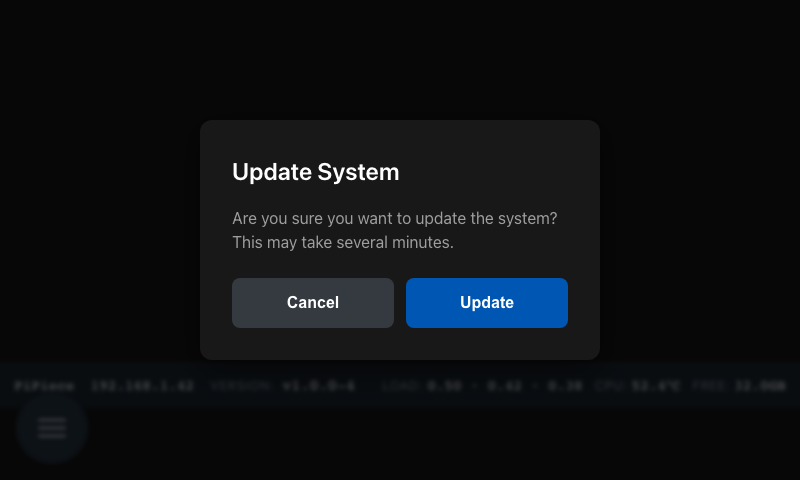
OS Update
What it does: Runs apt upgrade to update all system packages on the Pi — the same thing you'd run in a terminal.
How to run it:
- From the System Dashboard, tap Update
- A confirmation dialog appears: "This will update system packages. Continue?"
- Tap Update to proceed (or Cancel to abort)
- A streaming log view shows progress as packages download and install
- Tap Close when the update finishes to return to the dashboard
The update can take several minutes depending on how many packages need upgrading and your internet speed.
Software Update
What it does: Checks for a new version of PiPiece itself and installs it if one is available.
How to run it:
- From the System Dashboard, tap Software
- The view shows your current version and the latest available release
- If an update is available, an Apply Update button appears
- Tap it to download and install the new version automatically
- PiPiece restarts after the update completes
Your configuration, photos, and captured data are preserved during updates.
Auto-Update
You can configure PiPiece to check for software updates automatically each day. Set these in the Configuration view:
| Setting | Value | Description |
|---|---|---|
PIPIECE_AUTO_UPDATE | true | Enable daily checks |
PIPIECE_UPDATE_TIME | 03:00 | Time to run the check (24h format) |
The default time is 3:00 AM in Bird Watcher mode (while birds are inactive overnight) or 8:00 AM otherwise.